From the last minute to a full year.
Every metric charted over a range you pick, plus year-to-date. Three resolutions kept on disk, so the long views fill in over time instead of starting blank. A few MB in all, and every range survives a quit.
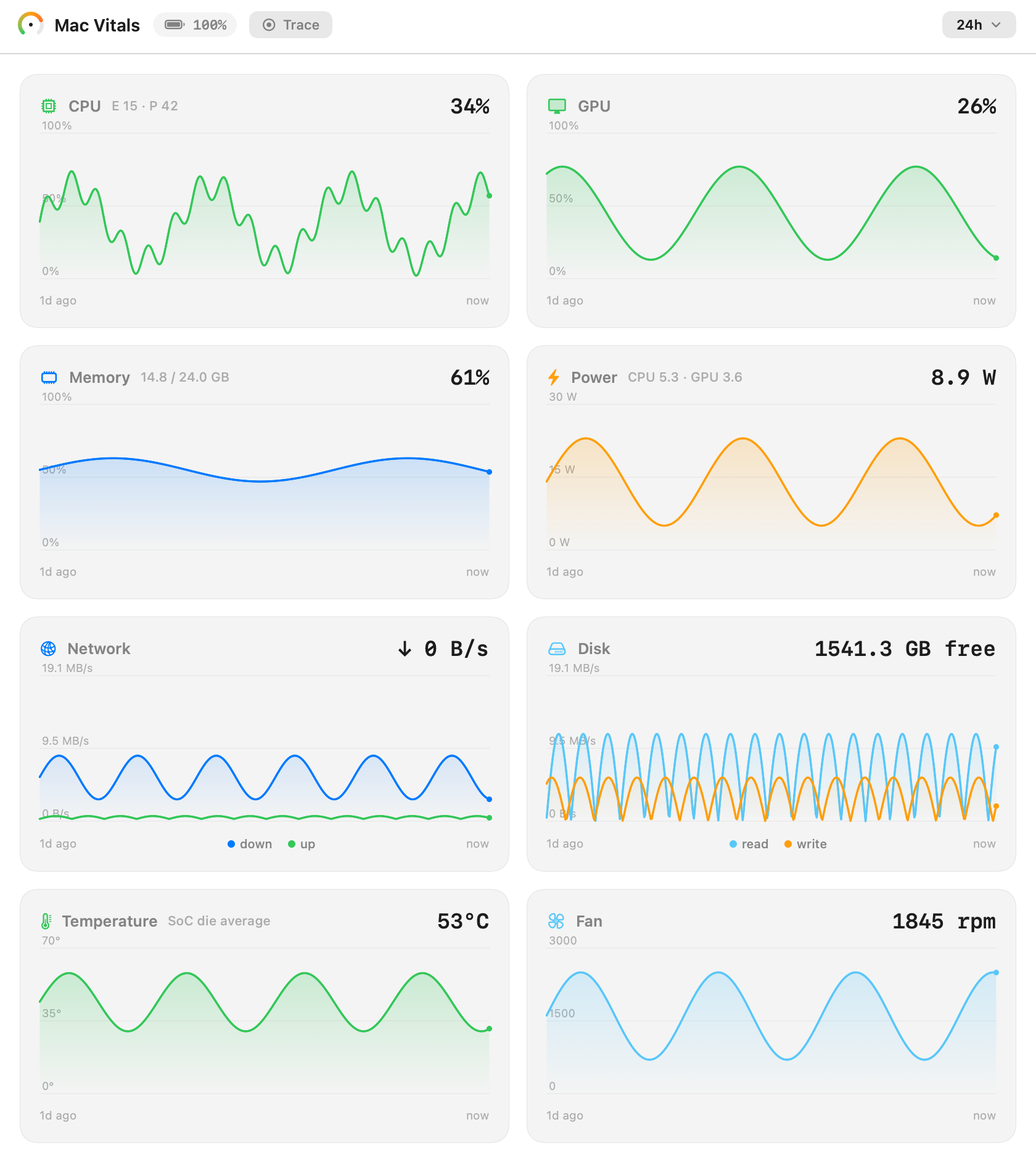
A menu bar system monitor for Apple Silicon. Every core, watt, and degree the chip reports, read as a normal user. No password. No dependencies. And the same engine speaks MCP, so your coding agent can read the machine too.
No sudo, no helper daemon, no kernel extension. It all comes through Apple's own interfaces, from Mach and IOReport to the SMC.
Most tools guess at GPU load. Mac Vitals reads it from the hardware's own performance-state residency and calibrates it against powermetrics on the M5. Under a sustained Metal load, both read 100%. At idle, both read the sliver the compositor keeps awake.
usage = 1 − OFF/total, from state residencyEvery metric charted over a range you pick, plus year-to-date. Three resolutions kept on disk, so the long views fill in over time instead of starting blank. A few MB in all, and every range survives a quit.
The same engine runs as a read-only Model Context Protocol server over stdio. An agent can check load before a heavy job, or wrap its own build in a trace and get the energy and resource cost back. It sees the machine. It never changes it.
Open source and free, an alternative to iStat Menus and a native-feeling companion to stats and macmon. It competes on the native look, the floating widget, and an interface an agent can read.
| Mac Vitals | stats | macmon | iStat Menus | |
|---|---|---|---|---|
| Reads without sudo | ✓ | ✓ | ✓ | ✓ |
| Native menu-bar item | ✓ | ✓ | · | ✓ |
| Floating desktop widget | ✓ | · | · | partial |
| Agent-readable (MCP) | ✓ | · | · | · |
| Zero dependencies | ✓ | ✓ | ✓ | · |
| Open source | ✓ | ✓ | ✓ | · |
| Price | free | free | free | paid |
macOS 14 or later on Apple Silicon, and the Xcode Command Line Tools.
# clone, build, and open
$ git clone https://github.com/netsatsawat/mac-vitals.git
$ cd mac-vitals
$ ./scripts/build-app.sh
$ open build/MacVitals.app